
A ransomware attack can shut down your business in seconds. One encrypted server, one locked workstation, and your entire operation comes to a halt. Customer data becomes inaccessible, services stop, and every minute of downtime costs money.
A ransomware recovery plan outlines exactly what your team must do to contain the attack, recover systems, and restore operations without paying a ransom. It eliminates guesswork and helps you respond confidently under pressure.
Preparing this plan before an incident is the most effective way to minimize downtime, maintain compliance, and protect your business from long-term damage.
Between January and September 2025, there were 4,701 confirmed ransomware incidents globally. If you think your small business is not among the targets, reports show that 46% of all data breaches impact businesses with fewer than 1,000 employees. The reports also disclose that 75% of small businesses that were victims of ransomware could not continue operating after the attack.
If you don’t want to become a statistic, this guide shows how IT teams and small business owners can build a bulletproof plan to survive a ransomware attack.
Every effective ransomware recovery plan includes five critical steps. These can prevent data loss and ensure business continuity.
Pro tip: Check out our complete guide on how to prevent a ransomware attack.
Step 1: Secure your data with the 3-2-1 backup rule
Once you guarantee your data is available, regardless of the incident, you ensure your business can continue to work while you remove the ransomware from affected devices and systems.
It’s important to remember that this will not prevent cybercriminals from exposing stolen data (if they have any).
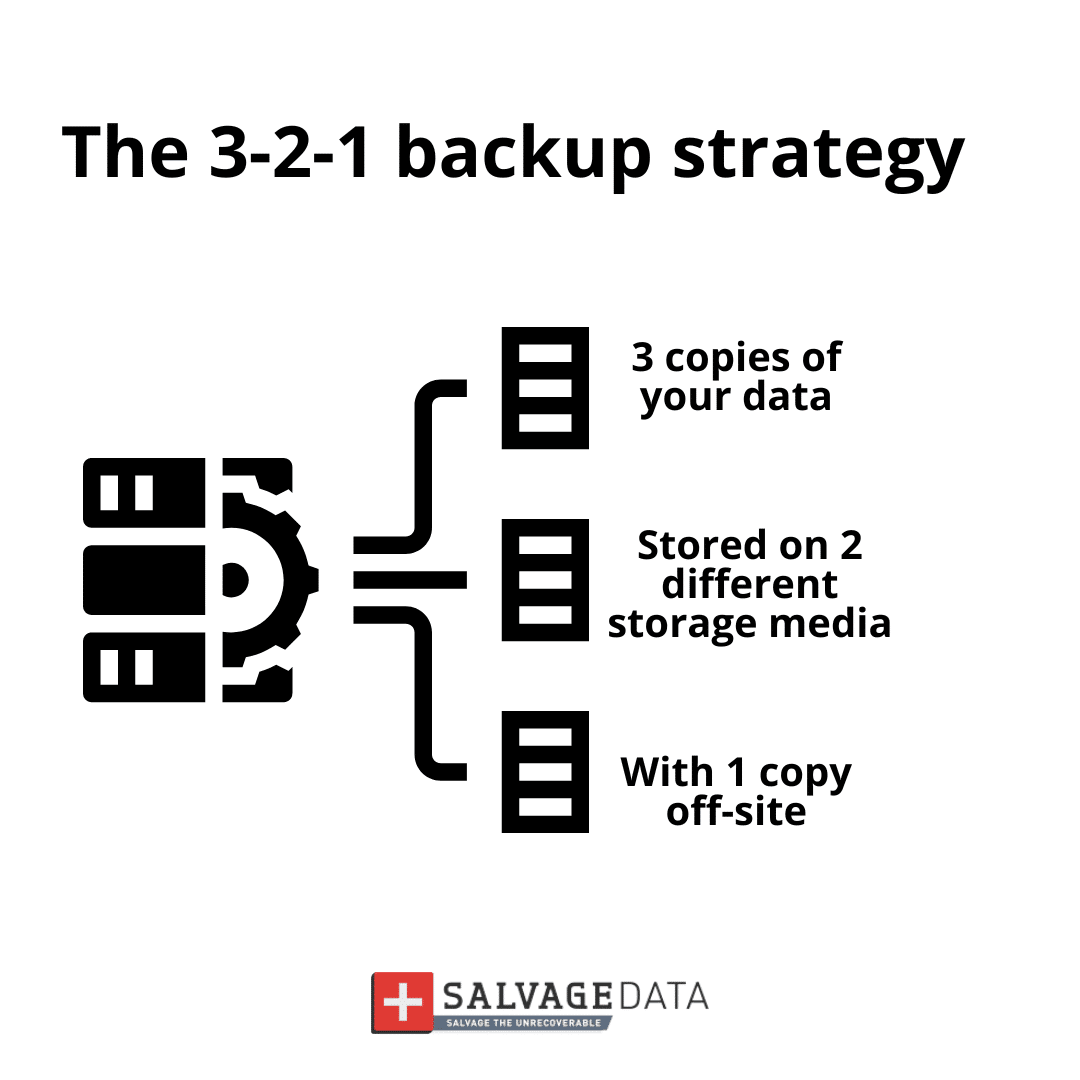
What is the 3-2-1 Rule?
- 3 Copies of Data:
The files on your main computer or server
A local backup copy (like an external hard drive)
A secure copy stored far away (off-site)
- 2 Types of Storage:
These three copies must use two different kinds of storage. If one type fails, the other is ready.
Example: One copy on a physical hard drive, and one in cloud storage
- 1 Copy Off-Site:
This is the most critical step for ransomware protection. Your backup must be stored outside your office network, like in a cloud service. This ensures that, even if ransomware locks up your office computers, it cannot reach the backup copy. It is disconnected and safe.
Always test your backups and keep them updated according to the frequency at which new data is added. Also, don’t connect your backup device or account to an infected system. Contact a ransomware removal service first or use a clean system.
Step 2: Build your incident response team
During a ransomware attack, everyone on your team must know their job instantly. Confusion wastes precious time, and time wastes money (or worse, leads to permanent data loss).
This team, often referred to as your DFIR (Digital Forensics and Incident Response) crew, is responsible not only for stopping the attack but also for investigating how it happened and preserving legal evidence. Writing down names and specific responsibilities now prevents panic and chaos later.
To ensure rapid coordination when your primary systems are compromised, you must:
- Define Three Critical Roles: Clarify which person will serve as the Incident Leader, Technical Lead, and Communication Lead.
- Create a Printed Contact Sheet: Document the names, home phone numbers, and personal email addresses for all key team members (remember, work email might be down).
This preparedness ensures your team can execute the required forensic steps to meet both technical recovery and potential legal/insurance obligations.
Step 3: Define your communication protocol
When the attack starts, clear communication saves your business. But you cannot use your normal tools.
Why normal communication fails during an attack:
- The company email is likely down or compromised
- Internal messaging apps might be locked
- The office phone system might be affected
- Criminals might be monitoring your communications
Your communication plan needs two parts:
Step 4: The recovery steps
Your plan must state the exact order to follow after an attack. It is a protocol that must be known by everyone on the team, regardless if they are part of the response team or not.
- Contact a ransomware recovery service immediately. These services are available 24/7 and trained professionals are equipped to step in and safely contain and remove the threat as quickly as possible.
- Immediately unplug the computer from the network and disconnect the Wi-Fi (turn off the wireless switch or remove the Wi-Fi adapter). Don’t turn off the machine.
- Alert the incident response team.
- Check the infected machines and how far the ransomware has spread. If needed, contact a ransomware forensics service.
- Contain the attack by disconnecting all computers from the network.
- Do Not Pay the Ransom! There is no guarantee you will get your files back, and paying encourages more attacks.
- Use your clean, tested, off-site backup to restore files to the clean machines.
- Verify that restored files open correctly and test critical business systems before reconnecting to the network.
- Update all passwords and install security patches before restarting the operations. Only reconnect computers after they are completely clean.
Step 5: Test the plan
Testing the plan helps keep your cybersecurity updated to face emerging threats, and allows your IT security team (whether internal or external) to check where it needs to be improved, and allows everyone involved to train for a real incident.
Run a practice drill once or twice per year to find problems when the stakes are low, not during a real emergency. Training and tests can measure and improve your recovery time, which reduces the downtime and all the high costs involved.
Add the practice drill dates to your calendar now. Treat it like any other critical business meeting. Make it mandatory for all Incident Response Team members.